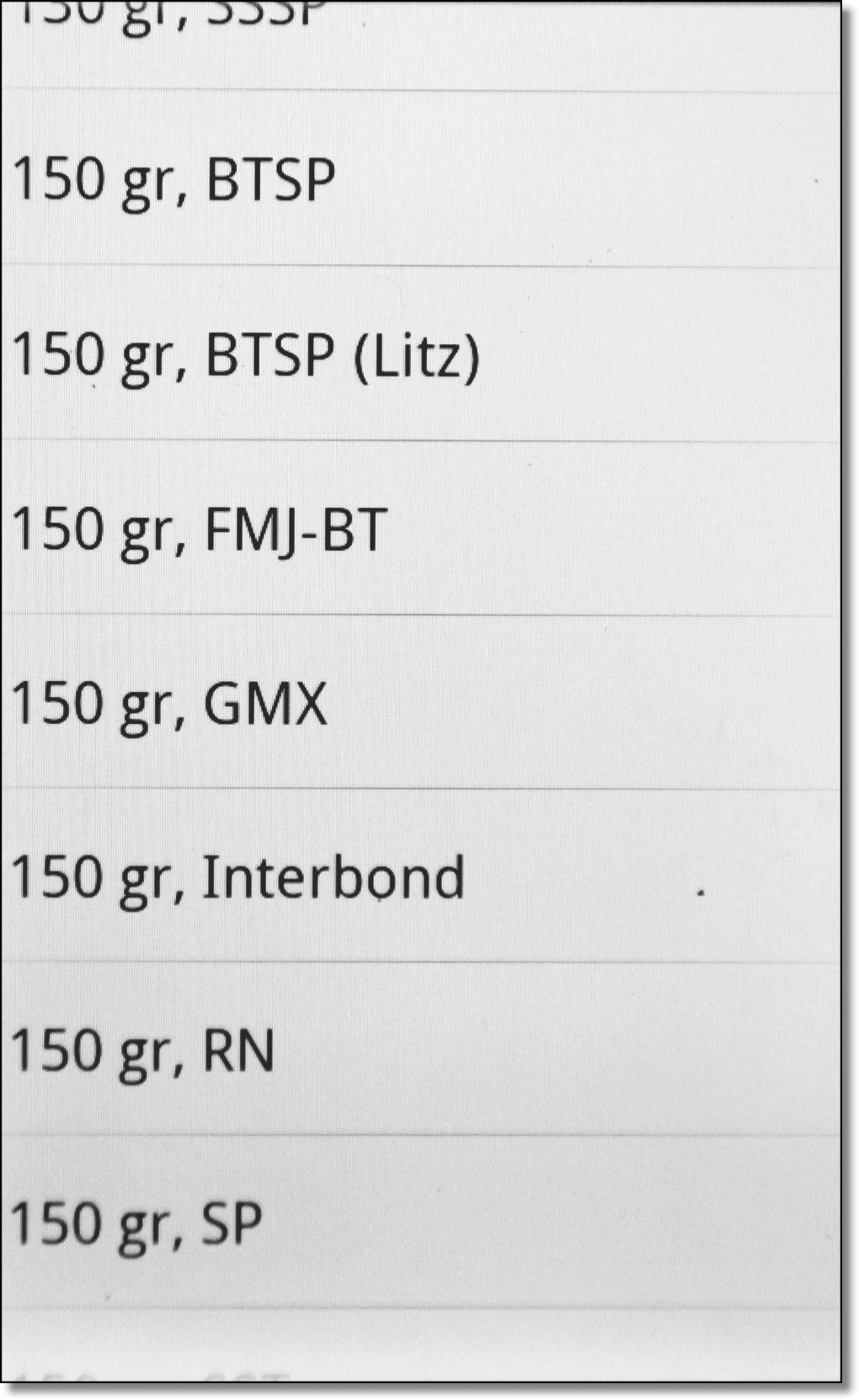
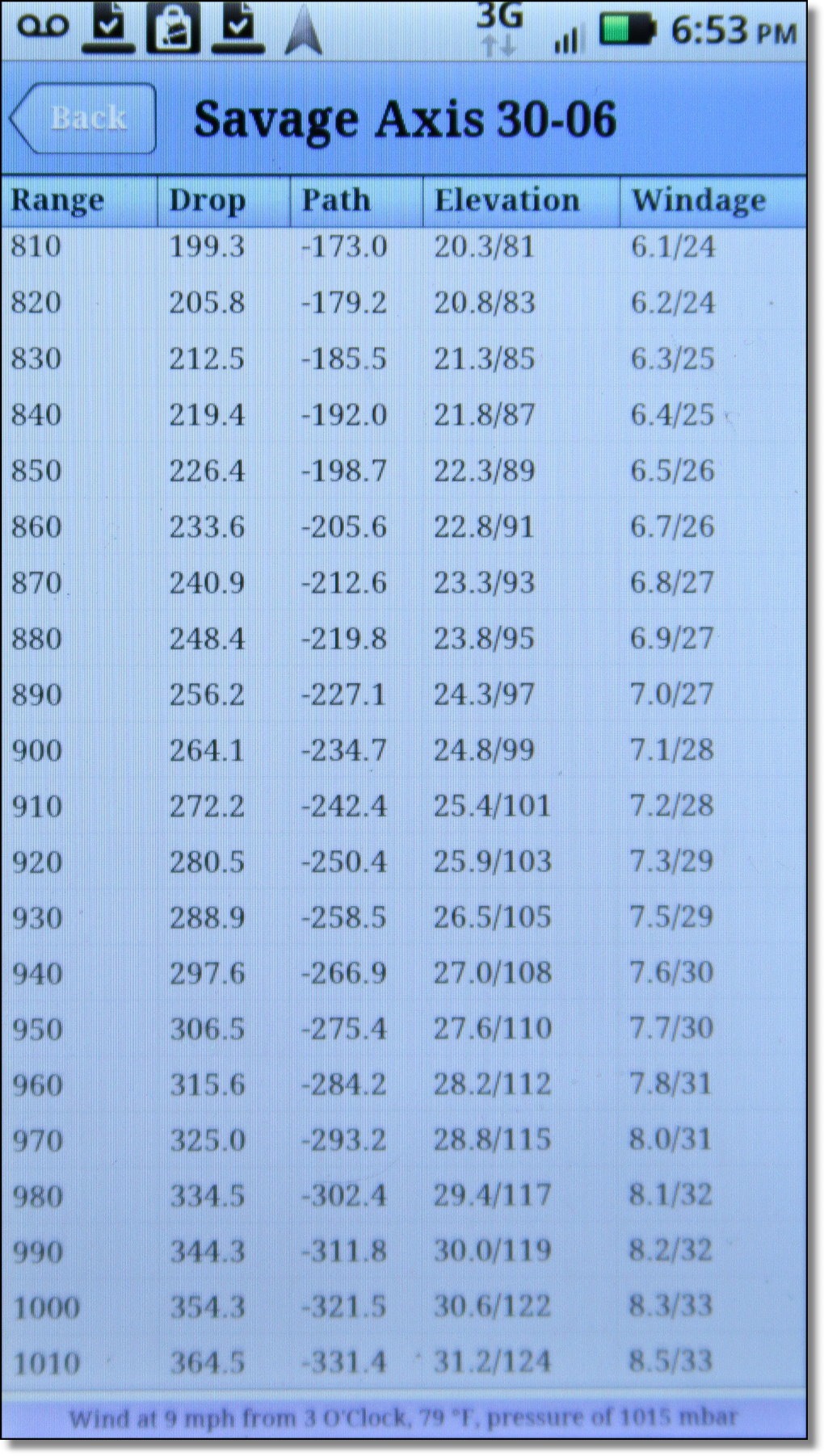
 Shooter $9.95Even though it comes up second on the list, we might as well start with the highest priced paid app. It’s a whopping ten bucks. I know, half of what you pay for parking at a baseball game, but it is paid and as with most things in the Android Marketplace, you get what you pay for. Shooter $9.95Even though it comes up second on the list, we might as well start with the highest priced paid app. It’s a whopping ten bucks. I know, half of what you pay for parking at a baseball game, but it is paid and as with most things in the Android Marketplace, you get what you pay for. I can’t imagine that there would be any variables that you would want to include in your calculations that aren’t in Shooter. Some things I don’t even understand and I hope to do some research and experimentation to see how much of an effect they have in long range shooting. Can you dial in all of your parameters on Shooter and take an 856 yard shot based on the calculations? I don’t know, but I do hope to test it at some point. If you want to nerd out on ballistics in the meantime, this is your app. What makes this app different from all the others is that it not only has advanced features, it can also connect to the internal GPS of the phone to get atmospheric conditions, based on national weather service numbers, as well as being able to connect to a Kestrel weather station to get atmospheric and wind conditions live. You can store as many rifles and bullets as you want. The only caveat, of course, is that the muzzle velocity you enter on the ammo is for a specific measured rifle, or at least barrel length, but due to variances in width, you really can’t count on a standard barrel length to shoot the same velocity in every rifle. Please note that many of these features can be disabled by putting the app in Simple Mode. This is done from the start screen by pushing your settings button. You can also control distance units and whether your GPS inputs values by default. 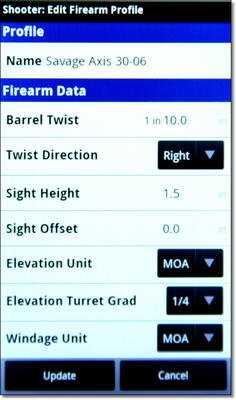 | The first thing you will be asked to do in Shooter is enter the details for a specific rifle and scope combination. You enter the rifle name, the twist rate and direction. On this Savage Axis I had to guess that it is a right hand twist as it was not on their website. If you have the rifle in your possession, of course, you can just look down the bore. Direction of spin is needed for “spin drift” calculation which you’ll encounter later. The elevation adjustment on most sporting scopes is MOA, or minutes of angle. Each click generally represents 1/4MOA which just happens to be ¼” at 100 yards. The sight height you get from measuring from the middle of the bore to the middle of the scope front lens. Keep in mind that not all scopes are mounted directly above the barrel. Some are mounted at an angle or to the side for various reasons. Sight offset, as used here, is the amount the sight sits to the left or right of the bore axis or centerline. Distance to the right is a positive value, to the left is negative.The first oddball, but extremely useful, option you encounter is at the bottom of this screen. If you have a lot of experience with your scope and you know that the clicks are not 1/4MOA, you can input the actual value here. | 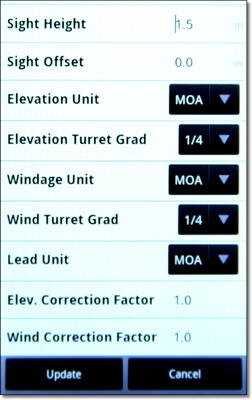 |  For my data tests, I used the .30-06 Savage Axis that we saw all the way back in the out of the box MOA article. For my data tests, I used the .30-06 Savage Axis that we saw all the way back in the out of the box MOA article. | 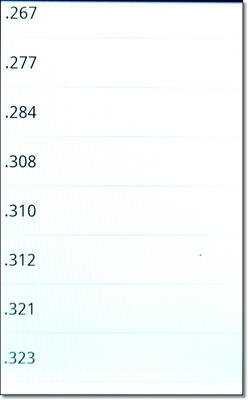 Next you are going to be asked to pick a bullet to test. You can manually enter your data or pick from the bullet library. This can be a little bit confusing if you’re used to just buying factory ammo. This first field is bullet diameter. For all of the thirty caliber cartridges this is .308. If you don’t know what your bullet diameter is, check the Wikipedia page for the caliber and it will tell you. | 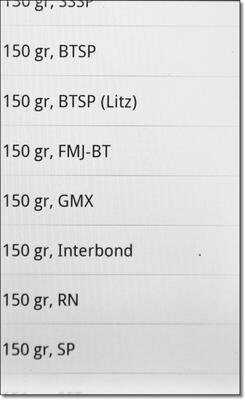 From there it will ask you a manufacturer. With Hornady, the bullet is printed on the box. Federal generally has a manufacturer and bullet listed. Winchester also does this. Each bullet has a name. For this I used the Hornady 150 grain GMX bullet. The bullets where you see “Litz” in parenthesis are based on actual test data by Bryan Litz, author of Applied Ballistics for Long Range Shooting, and one of the developers of Shooter. | 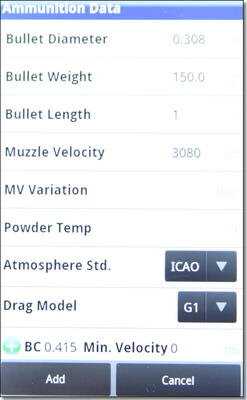 | Once you pick from the bullet library, the app will fill in the fields for that bullet. The only one missing for the Hornady 150 grain GMX bullet was length, which I guessed at as 1 inch. I didn’t pull a bullet to measure and the data wasn’t on the Hornady website or on the box. Muzzle velocity (MV) is preferably something you measure with a chronograph if you want your results to be valid. I plugged in the listed velocity for Superformance. The MV Variation field is for those who rigorously test velocity with one or more chronographs using the ammunition at varying temperatures. This would be the average spread based on temperature and percentage error. The Powder Temp field would be the temperature of the powder at base velocity. Zero atmosphere refers to the atmospheric conditions when you zeroed your rifle, like barometric pressure, altitude, temperature and humidity. If you zero at sea level and then go on a hunt at 10,000 feet, for example, the air will be thinner and exert less aerodynamic drag on the bullet which will change the trajectory and point of impact. By including the atmospheric conditions in your model, Shooter will automatically compensate for different conditions. Drag Models are based on bullet shape. Most manufacturers give G1 as their ballistic coefficient (BC) or G7 for boat tail bullets. The BC of the bullet can also be auto-filled by the bullet library. Minimum velocity refers to the BC of a particular bullet at different velocities. As the bullet slows on long shots, the BC changes. Shooter allows the input of these different BCs, however, if you only have one BC to enter, just use zero. And if you entered the bullet from the library, the minimum velocities are automatically entered for you. | 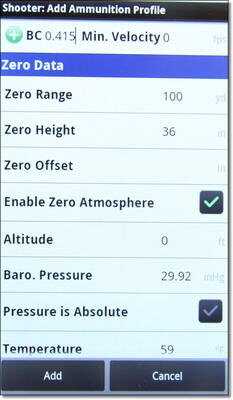 Next in your ammo profile are the fields at which you zeroed the rifle. They include the range, the height above or below the point of aim where the round impacted, and the offset, or how far to the right or left of the point of aim that the bullet hit. For example, you may have zeroed at 100 yards with the round hitting 1” low and ½” to the right of your point of aim. Next in your ammo profile are the fields at which you zeroed the rifle. They include the range, the height above or below the point of aim where the round impacted, and the offset, or how far to the right or left of the point of aim that the bullet hit. For example, you may have zeroed at 100 yards with the round hitting 1” low and ½” to the right of your point of aim. | 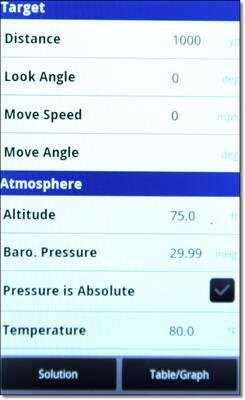 The target screen starts out with the distance for which you are making your calculations. It can solve for one distance or give you a chart and graph for the entire range of the cartridge. Look angle is your position relative to the target. On your Android phone this can be measured by the application itself. Move speed and move angle are for moving targets, so if the target is moving 3mph perpendicular to your rifle, it would be 3 and 90 degrees. | 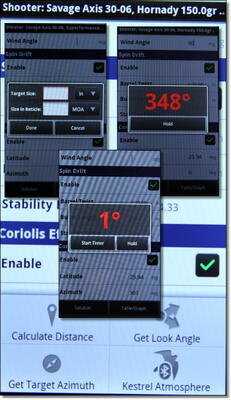 The left button, “Settings,” on your phone will bring up this sub-menu. Each of the options allows the phone to bring in data for you. Point your phone at the target to get the look angle and azimuth. The distance calculator is an easy converter for using your scope to estimate distance. | 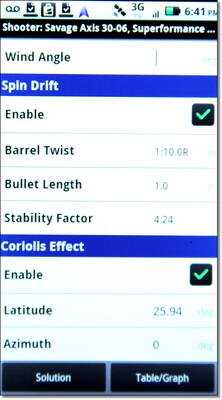 Spin drift takes into effect the centrifugal force of the spinning bullet, like a gyroscope effect. The Coriolis Effect is from the spinning of the earth and can affect long shots. The earth is spinning at roughly 1,000 miles per hour and even though you don’t feel it, the bullet does. These features can be disabled by putting the application in simple mode. Spin drift takes into effect the centrifugal force of the spinning bullet, like a gyroscope effect. The Coriolis Effect is from the spinning of the earth and can affect long shots. The earth is spinning at roughly 1,000 miles per hour and even though you don’t feel it, the bullet does. These features can be disabled by putting the application in simple mode. | 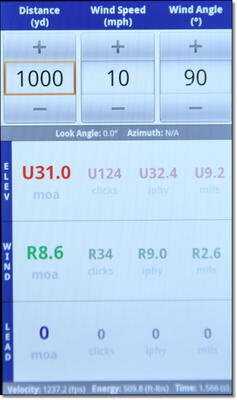 When you solve for one distance value this is the screen you get. This is really a nice feature since you have live input from your GPS or Kestrel and you can alter the data with finger clicks. Taking a quick reading from your rangefinder with a given bullet and rifle and you’ll have the MOA or MILS value to get right on target quickly. The depth of the app is hidden entirely. | 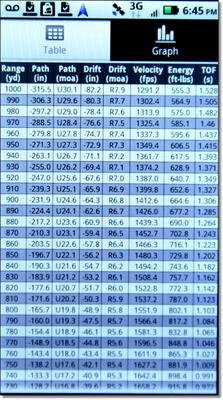 If you don’t want to rely on computer gadgets out in the field when taking 600 yard shots on wild boar with your Sharps .45-70 black powder rifle, you can always spit out a complete chart to your intended distance. This can then be emailed to your regular computer so you can print it out and take your own personal range card with you. | 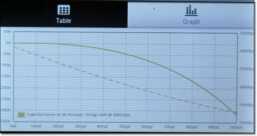 | In the field or at the range, a course graph doesn’t help much, but one nice feature of Shooter is that you can compare two trajectories to each other on this graph screen. You click your settings button and it asks you what bullet to compare it to. You can even compare caliber to caliber and load to load. Nice feature. I just wish you could email the graph like you can the chart. | |

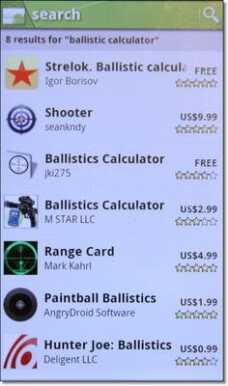 The Android Marketplace offers both free and paid apps for ballistics. Some are great, some not so great.




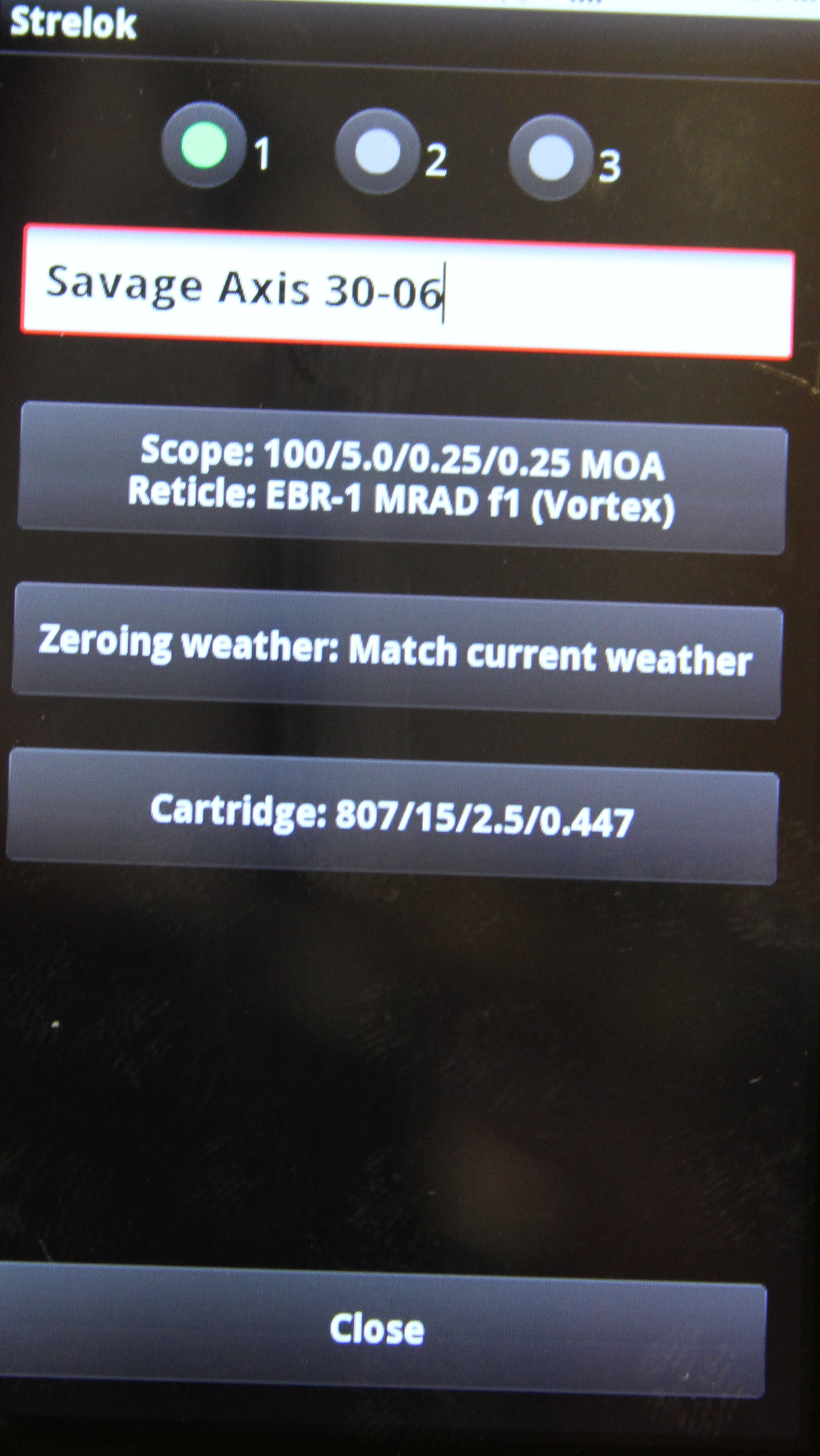
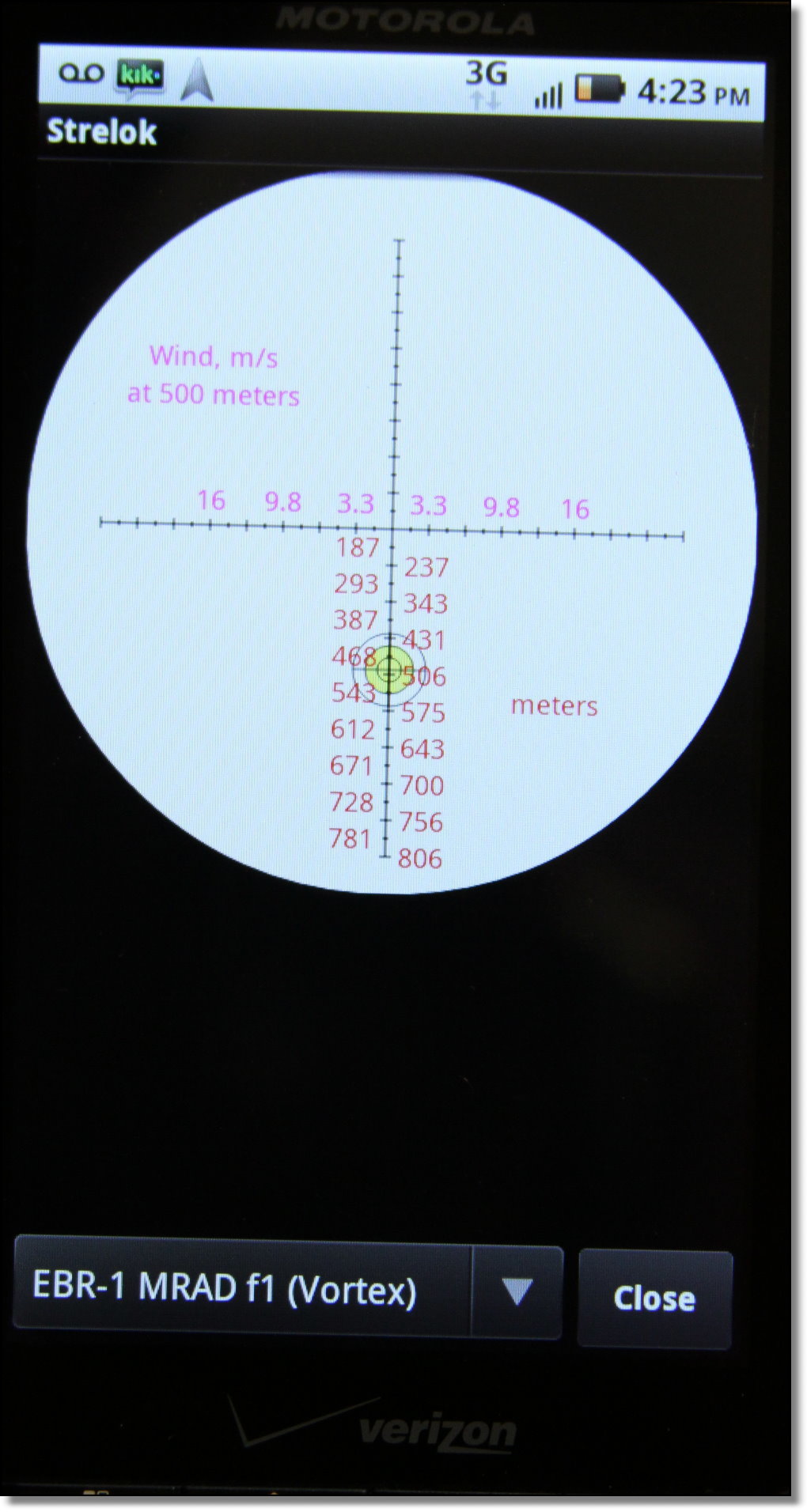
 Strelok (FREE)If you don’t want to spend the ten bucks, Strelok is really the way to go. Compared to the paid apps, with the exception of Shooter, it far outdoes them. The interface is simple and it pretty much does what you want it to do if you just want to get your shots on the paper. Until I test all of the variables like the Coriolis Effect and Spin Drift, I have to reserve judgment on their importance.


 Ballistics Calculator (FREE)This is an actual GPL (general public license) piece of software that is available for Android. It’s a little clunky and you can’t save any profiles, but it does what you want it to do for the most part. By now I expect you are spoiled with features. This really one has none, but it works.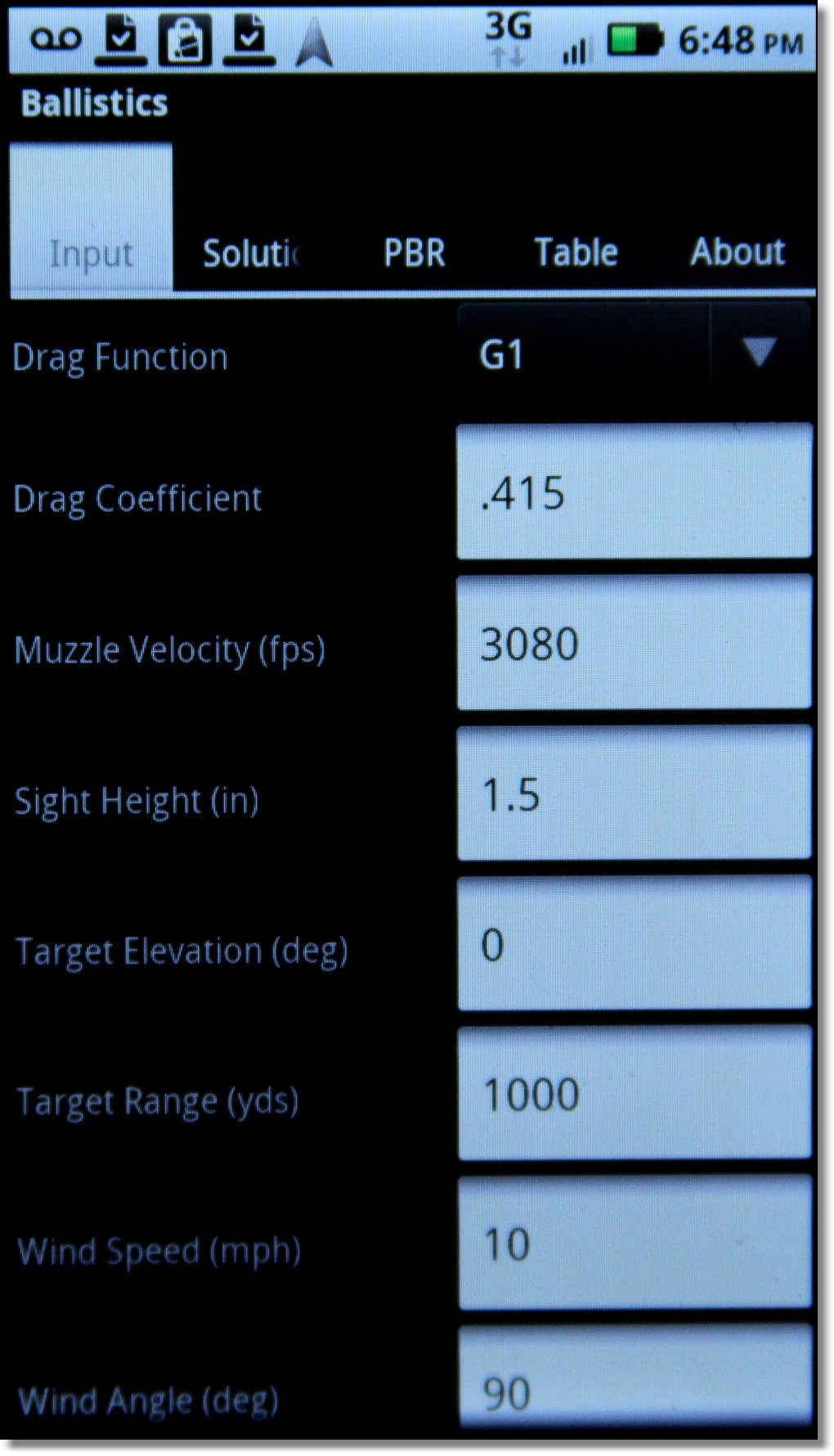


 M-Star Ballistics Calculator – $2.99If there is one in the lot here that will involve 100% buyer remorse, it will be this one. It comes up 4th in the Android Marketplace list and it really should be taken out. Throughout the paid application are ads linking you to other things, presumably just as bad as this.

 Hunter Joe Ballistics – $0.99At the price of a dollar, I’m not sure it is a huge jump to try this interesting but mostly useless app for Android. I don’t know why they would go to the lengths to make something so good looking with such little practical function. From what I can tell, it’s geared for hunters with very little ballistic knowledge.

 Reticle Ranger (FREE)Already mentioned above is the ultimate Mil-Dot/MRAD or MOA tool for your Android, from the same developer as Shooter. Reticle Ranger allows you to input the size of your target, like a deer you estimate to be 4′ at the shoulder, and what the range marks inside your reticle measure, as in Mils/Mrads, or MOA. Once you have a scope that uses these internal markings, it will be easy to understand their value. Rangefinders are great, but long distance they need to be steadied and you may not have time to do a lot of fiddling around before losing the shot. As a standalone app that is free, Reticle Ranger gives you an easy, quick input system to get your estimated distance fast.
how do I get this for my phone, and also can I get this on my home computer?
Now we’re cooking… problem solved. Due to my ignorance about such matters and a somewhat vague owners manual for my scope regarding what’s what… I was set up wrong. You were correct… my scope turrets are set up in MOA increments. Thank you for staying with me on this one. I now have a much better understanding of MILS and MOA. Be well and stay safe.
Bought “shooter” and set it up just as describ4ed in this post. Zeroed at 100 yards, 1/4 turret grad clicks. Ballistic chart shows a 4″ drop at 200 yards but program says “U2”. That would only be a 1 inch rise in POI. soooo tried to get a answer from the Shooter Net but no answer. Whats wrong with program?
Did you set the zero distance correctly? I would check it against internet and strelok.
Yup.. just rechecked it. ,308 cal .. Barrel twist 1 in 10 Right. Elevation and Wind Units set at Mils and Elevation and Wind Turrets set at 1/4. Used programs bullet data for 175 gr Sierra BTHP. Zero set at 100 yards. Programs chart shows a drop just a smidge over 4″ at 200 but solution for 200 yards shows “U2” I know I’m a novice at all this but me thinks it should show “U8”. Right???
The velocity is more important than anything.
Understood. Velocity is set at 2600. At 200 yard shooting solution with 100 yard zero app says U0.6 mils.. U2 clicks… U2.1 moa…U2.2 iphy. Shooting solution for 400 yards says:: U2.4 mils… U10 clicks… U8.4 mils… U8.8 iphy. Seems clear that App is not correct re “1/4 clicks” Can’t figure out how to correct the error and “Shooter.net” hasn’t responded to my inquires.
I don’t know it sounds like your scope is in MOA and you are getting data in mils. Switch the data to MOA. Mil scopes click in 1/10 mil increments. One mil is larger than one MOA and you can’t swap them. Read the article recently here on first focal plane scopes it explains it.
Late comment but for someone down the road U2 may mean up 2 MOA which is 4 inches at 200 yards.
Would be a useful review if we could actually read it. Seems your adverts cover 1/4 of the right side of your review.
When you get that fixed i will com back and read what you think about these apps.
Yes, that was annoying
Not listed as a separate part is a gasket in the bottom of each blade.
Grill a few minutes on each side, until very golden.
Beverages, breads, desserts, main courses, salads, and dressings – there was a Tupperware recipe for every part of a meal.
It also incorporates some other technologies including a triple
action cutting system and Active – Lift technology which work along
with Braun’s Pulsonic technology to give a very close and comfortable shave.
This is the main reason why it is very important that you know
how to shave properly. A well-known such as going to be the Philips NIVEA FOR MEN 8060X
allows you for more information about have a from coast to coast
moist shave in the shower and comes allowing you to have its personal
moisturizing shaving conditioner.
Look hard at the $30 Applied Ballistics. Yes, it costs money. Yes, it is hands down the best shooting applied ballistics calculator available for Droid at this time. If you are serious, you have to pay fo rit. If you are serious, you probably aren’t looking for ‘free’ either
SoCal heard good reviews about it but for 29.00 will just use my brain.
There is another one cannot remember the name but the cost is $29.00.
Hello, I enjoyed reading this very informant article, thank you for the reviews. I immediately searched for some apps on android market, I came across an app called Applied Ballistics for $29.99 I read into and it seems to have all the bells and whistles and very accurate as well. Has anyone used this app?
Thanks
This is also Bryan Litz and it looks a lot like Shooter. I just downloaded it and will try to put together a review at some point soon.
you can take screenshots on android without rooting by pushing the home & power button at the same time. at least with galaxy s2
Just an Android note on the screen capture…I have a Galaxy Nexus (Verizon CDMA) that runs the latest version of Android OS (ICS) and it does the screen capture and save them as pictures.
I’ll second the request for shot timer appps for Android.
they are already on my phone and working on it.
I use Ballistics from MES Enterprises on my blackberry.
In defence of Hunter Joe: Ballistics, Reviewer didn’t realize that a lost of parameters can be set through the Android menu key.
All you can do is edit the weather and go to the weather channel website, which I’m pretty good at doing without Hunter Joe. It is a dreadful paid application and should be removed from the marketplace and redesigned. I see where you were going with it, but you never got there.
I have and use Shooter. The first time I used it was for my first F-TR match which was the first time I had shot any real distance with a scoped rifle. I was using a new Remington 700 I had zeroed at 100 yards. I had already loaded the rifle and bullet info into the program days before and when I told the program I was going to be shooting at 600 yards it gave me a +16 MOA adjustment.
The day of the match I turned on the program. It pulled in the local atmospheric and weather conditions and confirmed I still needed +16 MOA but now with the wind it gave me an adjustment of 10 clicks left. I dialed the scope in, took my first shot and was in the 9 ring just left of the X.
Needless to say I was much impressed.
I also have Strelock. Like the story says it’s not as robust as Shooter. But what is is great for is to give you the sight picture and hold overs with your reticle.
Get both programs and they’ll do you right.
I’ve used shooter for over a year now, and it’s by far the best I’ve found that wasn’t ungodly expensive and proprietary (there are a couple of really nice ones from big names in the ballistics and defense fields).
I used it at boomershoot this year, and it had me on target to within the precision of my rifles (two different rifles, 4 different loads) and my own abilities, every single time.
It’s more than worth the $10.
What magnification does the mildot rangefinder work on?
It depends if the scope is first or second focal plane. On a second focal plane the manufacturer will tell you what magnification. On a first focal plane like our Vortex Razor HD there is no difference and you can use it throughout the whole zoom range and it is the same.
Blackberry??
not that I know of
Screen Shot It is a cheap screen cap program that works on any android 2.2 and above, rooted or not. My phone isn’t rooted and it works fine.
Great reviews on these apps, very useful knowledge!
Great article. How about a follow up on shot timers. Have seen for iphone but not much on android.
Thou shalt not disparage Android to Apple’s favor.
FYI:
The browser for Android called Dolphin or Dolphin HD is my default browser on my un-rooted phone. It has an optional feature, an add-on, that is a great tool got screen captures. You can choose one of 3 options.
1) Whole page
2) Page content (less ads etc.)
3) Select area, using an easy crop tool.
Once you choose you can save or share.
Thank you for posting this review. I’m new to the whole ballistics game, and this will certainly save me plenty of time and aggravation!